 TEJAS OS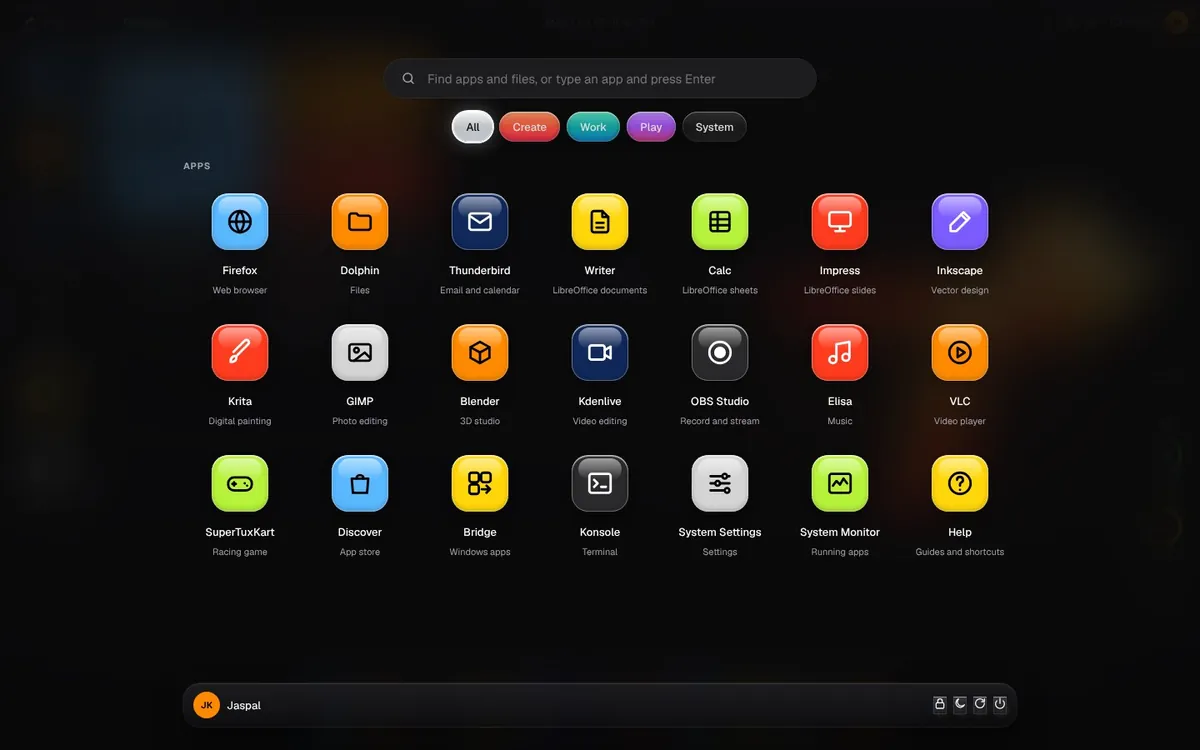
Familiar from the first click
A taskbar, a Start menu, This PC and a Help centre in plain words. If you have used Windows, you already know TEJAS.
12 Indian languages
Pick yours when you install. Hindi, Tamil, Bengali, Punjabi and more.
A free desktop operating system, made in India for Indian homes, schools and offices.
Tap a language and watch TEJAS say hello. Change it any time after you install.
Windows 10 support ended on 14 October 2025.Source
TEJAS installs security updates by itself, every day, for free.
Only about 1 in 10 Indians speaks English.Census 2011
TEJAS runs in 12 Indian languages, with typing in Indian scripts built in.
India made over 14 lakh tonnes of e-waste in 2025-26.Source
TEJAS Lite gives older PCs a new life instead of the scrap heap.
No licence keys, no accounts, no trial periods. Just switch it on.
A taskbar, a Start menu, This PC and a Help centre in plain words. If you have used Windows, you already know TEJAS.
FREE
Browse, write, make sheets and slides, play music and videos. Tap Get more apps for GIMP, Krita, Kdenlive and games.
Run many Windows programs inside TEJAS with one click.
Firewall on, daily security updates, no tracking added by TEJAS. Every download is signed.
TEJAS Lite fits on a 4 GB pen drive and runs on machines Windows 11 left behind.
About 20 minutes and one pen drive. Try it first without touching your files.
Get TEJAS Lite, one file of about 2 GB.
Open Rufus, pick the file and your pen drive, and choose DD Image mode when it asks.
Restart, press F12 (or F9, F11) for the boot menu, pick the pen drive, then click Install TEJAS.
Free for everyone, no sign-up. Both editions have all 12 Indian languages.
2.0 GB, one file
82d226b7a8f8faff1aef787a4f6a87c8ba11d1fcd4f53994b862a7e77660f39a5.4 GB, 3 parts
fd6f12390c6698a58fabba91caa3999664d9ed740a0ed56fbd118bacd633b1a3Get-FileHash tejas-1.0-lite-amd64.iso. The code it shows must match the SHA256 above.shasum -a 256 tejas-1.0-lite-amd64.iso and compare.gh attestation verify tejas-1.0-lite-amd64.iso --repo Jkrocks/JK.See exactly what's inside: Lite package list, Full package list, source code, MIT licence.
By downloading you agree to the Terms & Conditions. Back up your files before installing.

An 8-page paper on why India needs a free desktop in its own languages, and how TEJAS is built to deliver one.
Khalsa, J. (2026). TEJAS OS: Made in India, Made for India. JK Design, Mumbai.
TEJAS is open source and free for life. Designed in Mumbai by Jaspal Khalsa at JK Design, and built on Debian and KDE, trusted by millions worldwide. Vocal for local.